
Startup Splash
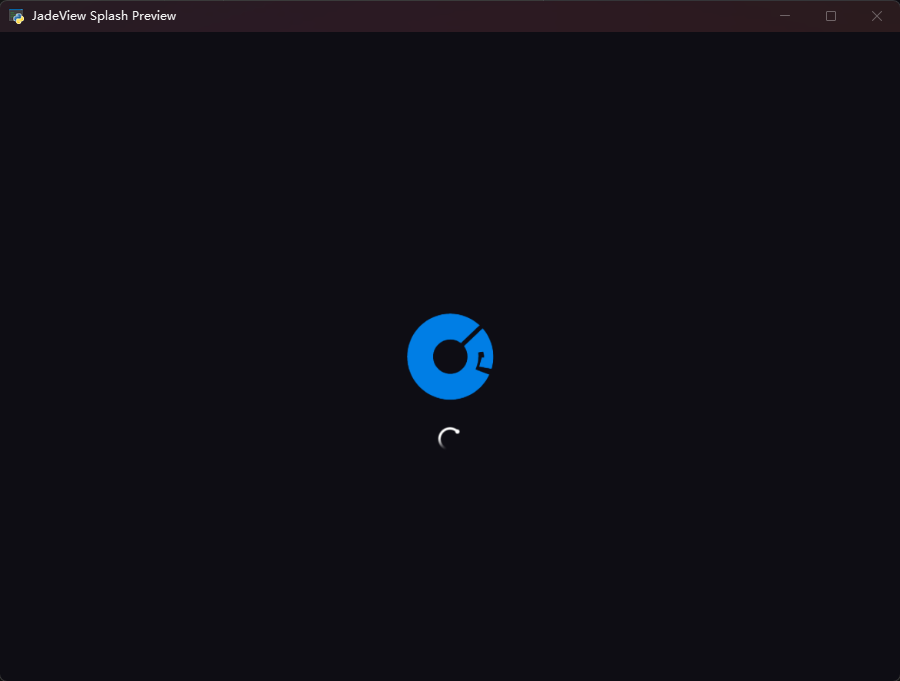
JadeView shows the app logo and a loading animation inside each window configured with a splash. The overlay covers the content area and menu bar, leaving the title bar visible.
Whether the window has a title bar or border is entirely up to the options used to create that window (noframe, title_bar_style, transparent, and so on). The splash covers only the content area below the title bar and does not alter window styles; the title bar remains visible and usable.
Preview
Window creation parameters
typedef struct JadeSplashOptions {
    uint32_t struct_size;
    uint32_t abi_version;
    uint32_t flags;            /* bit 0 disables the splash */
    const char* logo_path;
    const uint8_t* logo_data;
    size_t logo_data_size;
    uint32_t background_color; /* 0xAARRGGBB */
    uint32_t accent_color;     /* 0xAARRGGBB */
    uint32_t minimum_ms;
} JadeSplashOptions;

uint32_t create_webview_window(
    const char* url, uint32_t parent_window_id,
    const struct WebViewWindowOptions* options,
    const struct WebViewSettings* webview_settings,
    const struct JadeWindowFeatures* features);
uint32_t create_window(
    uint32_t parent_window_id, const struct WebViewWindowOptions* options,
    const struct JadeWindowFeatures* features);
Create the window after app-ready. Pass the configuration in the window features structure's splash field. Leave it NULL to disable the splash. Set JadeSplashOptions.struct_size to sizeof(JadeSplashOptions) and abi_version to JADE_ABI_VERSION. The creation function reads the configuration and logo before returning.
| Field | Description |
|---|---|
flags | Bit 0 set disables the splash. |
logo_data / logo_data_size | PNG/ICO logo bytes; takes precedence over logo_path. |
logo_path | PNG/ICO file path. A mounted JAPK path such as app/logo.png works. |
background_color | Overlay background color; 0 uses the default dark color. |
accent_color | Loading animation color; 0 uses the default white on dark backgrounds. |
minimum_ms | Minimum display time after the first frame. Set to 0 to show the page directly if it is ready first. |
Example
JadeSplashOptions splash = { 0 };
splash.struct_size = sizeof splash;
splash.abi_version = JADE_ABI_VERSION;
splash.logo_path = "app/logo.png"; /* mounted JAPK path */
splash.background_color = 0xFF0E0D14;
splash.accent_color = 0xFFFFFFFF;
splash.minimum_ms = 600;
struct JadeWindowFeatures features = { 0 };
features.struct_size = sizeof features;
features.abi_version = JADE_ABI_VERSION;
features.splash = &splash;
uint32_t window = create_webview_window(url, 0, NULL, NULL, &features);
if (!window) return 1;from jadeview_next import SplashOptions, WindowFeatures
features = WindowFeatures(splash=SplashOptions(logo_path="app/logo.png", minimum_ms=600))
window = runtime.create_window(url, features=features)If the splash starts before the JAPK mount is available, app/logo.png does not exist yet; pass the logo through logo_data instead. Menu item icon_path values can use the same app/... paths after the page loads.
Lifecycle
- When creating both objects together, the splash starts on the visible window while the default WebView loads in the background. With
create_window, the splash appears if the window is visible when its first WebView attaches. - The target WebView's load completion requests that the overlay close. The overlay also begins closing after a 30-second load wait, subject to the configured minimum display time once visible.
- Once the close condition is met, the whole overlay fades out before it is removed; the default WebView is then shown and the window menu bar and normal content return.
- While the overlay is visible, the title bar's left back/refresh buttons are hidden; after it closes, the window's
set_titlebar_componentssettings apply again. - The overlay does not take mouse hits; the window remains usable.
- Closing the window or exiting the process destroys the overlay with the window.
Windows renders the startup splash. Linux accepts the configuration and creates the window as usual.